
Introduction
I was having issues getting certificates and found that utilizing a DNS challenge helped.
API Token
I'm using Cloudflare so I'll be using their API Token.
Go to your My Profile. At the top click API Tokens.

You'll want to Create Token.

Create a Custom Token with the following options selected. If you want to have multiple websites, you can add multiple Zone Resources:

SSL Certificate
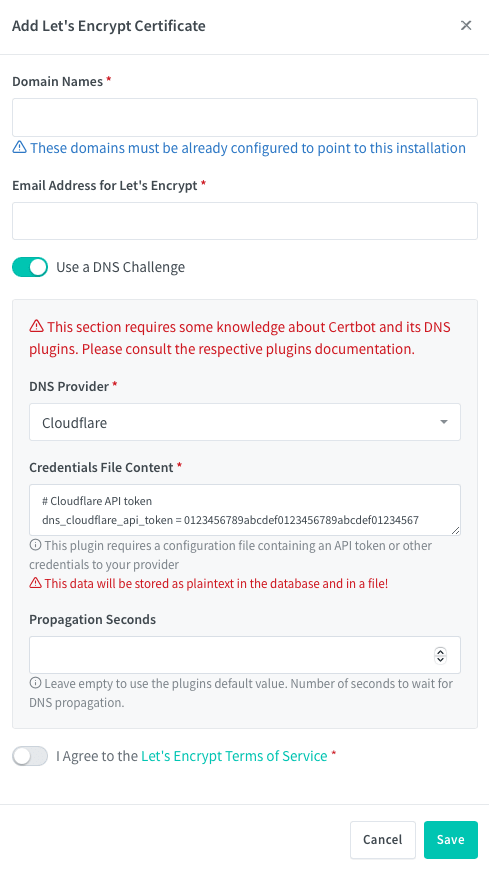
In Nginx Proxy Manager go to SSL Certifications and click Add SSL Certificate.
Type in the domains that will use this certificate. Add your email address and select Use a DNS Challenge. My DNS Provider is Cloudflare so I selected them. Paste in your API Token from before, replacing the numbers and letters after dns_cloudflare_api_token. After agreeing to the TOS, click Save.

You should now have an SSL certificate for the domains you specified.
Read more

Creating a Static Website with Hugo and Netlify/Cloudflare Pages
Creating a static website with Hugo and hosting it on Netlify and Cloudflare Pages
Traefik Wildcard Certificates
Using Traefik to create SSL certificates for local services

Cloudflare DDNS
Setting up DDNS with Cloudflare